
Start without setup
Open Lifever and it is already useful. A local profile and thoughtful demo data are ready before an account exists.
Reminders, calendar, notes, projects, and race weekends—designed as one quiet place, not five apps fighting for attention.
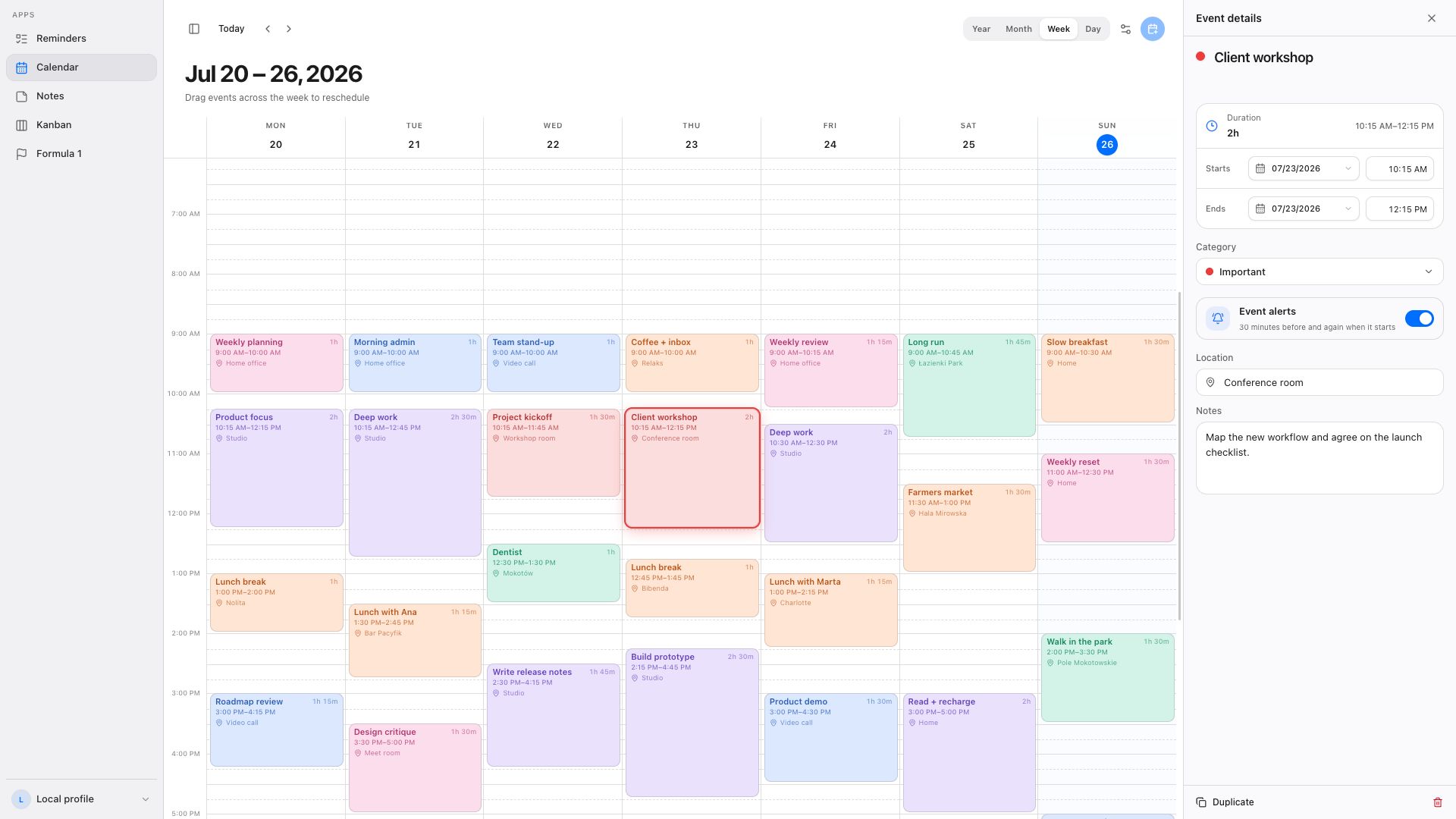
One home for the things that shape a day.
The product
Each app keeps its own rhythm. Together they cover the ordinary work of planning a life without turning it into a system to maintain.
Create by dragging, resize in place, span multiple days, and move naturally between day, week, month, and year.
A calmer default
Most productivity software asks you to build a system before it gives anything back. Lifever starts ready, stays understandable, and grows only when you ask it to.
Open Lifever and it is already useful. A local profile and thoughtful demo data are ready before an account exists.
Sign in only when you want the same reminders, events, notes, and projects waiting on another device.
Use the hosted backend or run the full stack yourself with Cloudflare D1 or PostgreSQL. Nothing important is hidden.
Authenticated data stays behind your session and is never mixed with the local profile.

Native without the ceremony
A lightweight Tauri app with native notifications, signed releases, and updates that stay as simple as the install.
Prefer a direct download?$ brew tap badosz0/lifever https://github.com/badosz0/lifever
$ brew trust --cask badosz0/lifever/lifever
$ brew install lifeverYours, end to end
The app, API, database schemas, desktop host, deployment scripts, and release pipeline all live in one public repository.
The practical bits
No. Lifever starts with a fully usable local profile. Sign in with Discord only when you want cross-device sync.
Local-profile data stays on the device. Signed-in data lives in the configured Lifever API and is scoped to your authenticated account.
Lifever runs in modern browsers and ships as a native Tauri app for macOS through GitHub Releases and Homebrew.
Yes. Cloudflare Workers with D1 and Node.js with PostgreSQL are both documented and supported.

Start locally today. Sign in only when sync becomes useful.